
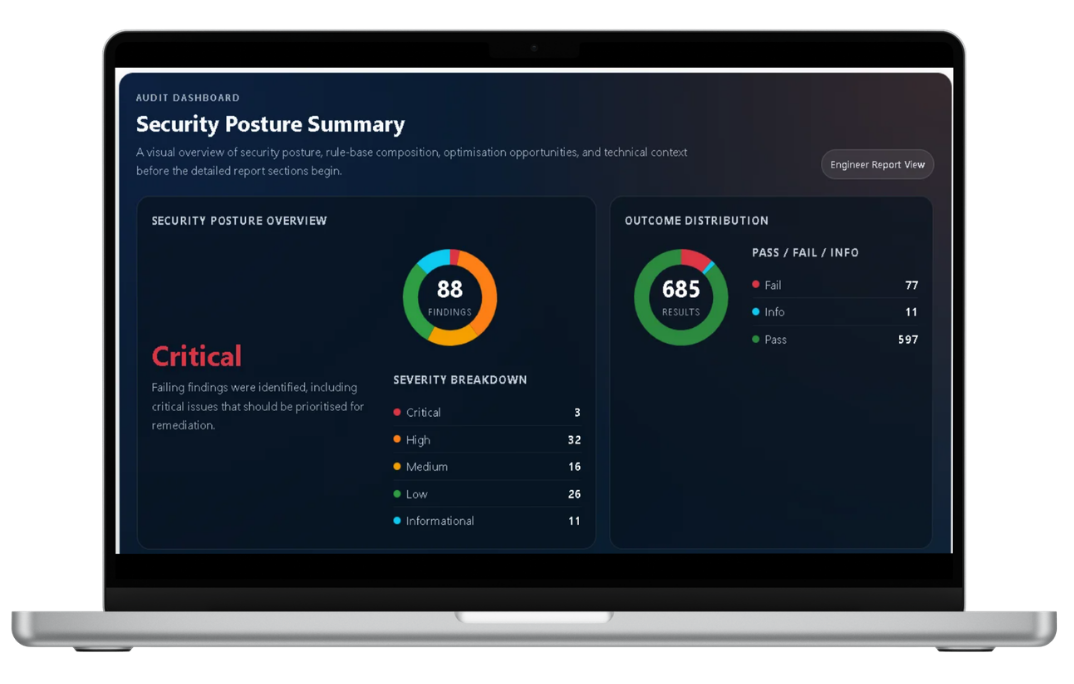
ConfigSentry has changed a lot since the first version. What started as a way to make one-off FortiGate reviews more repeatable is becoming a fuller audit and monitoring workflow.
Over the last few months I’ve been concentrating on the parts that make the product genuinely useful in day-to-day firewall work: more ways to collect configurations, clearer reports, better remediation guidance, and recurring checks for teams that need them.
More ways to run an audit
- Configuration upload: useful when you want a quick one-off review.
- Read-only SSH retrieval: collect the configuration without exporting it manually.
- Collector-managed audits: run audits against appliances managed through an on-premise collector.
- Scheduled review: rerun checks automatically and identify later drift.
- Change-triggered audits: Enterprise workflows can start a review after a detected configuration change.
The important part for me is that teams can start simply. You can run a manual audit first, decide whether the findings are useful, and only add a collector or recurring schedule when it solves a real problem.
Reports for engineers and management
The engineer report keeps the detailed evidence and remediation needed to investigate findings. The executive report uses the same audit data but presents the main risks and priorities more clearly for management and governance discussions.
- Detailed findings tied to the relevant configuration
- Clearer remediation guidance
- Engineer and executive report formats
- Downloadable HTML, JSON, and PDF output where available
Still focused on practical FortiGate review
I’m continuing to add rules, improve the audit engine, and make the public product information more transparent. ConfigSentry is not trying to replace an engineer or make every firewall decision automatically. It is there to handle repeatable inspection work and give the engineer better evidence to work from.
You can run a free ConfigSentry audit and decide whether the workflow and reports are useful for your own FortiGate environment.